Article
For most stores the category page is the main way in from Google. People search for “trekking backpacks”, not for the name of a specific model. Yet in many stores a category has either no text at all, or 800 words below the products that repeat the keyword twenty times and that nobody reads.
Both approaches waste the page that should earn the most. Below I describe how I write category descriptions for stores: where to place them, how long they should be, what they consist of and how to check whether they work.
Does a category need a description at all
The honest answer: not always. A category page is above all products, filters and links. In its guide to ecommerce site structure Google writes about links from menus to categories, from categories to subcategories, and about linking to every product you want indexed. It says nothing about mandatory text. Some categories do well without a description, because they have plenty of products, a strong brand and good internal linking.
A description makes sense when it does one of three things:
- helps people choose, because the category has products that differ in something customers do not understand: capacity, membrane, waterproof rating,
- explains what is inside, when the category name is broad or technical,
- gives Google and AI assistants context they cannot read from product names alone: who the category is for, how subcategories differ, what the typical specifications are.
If the text does none of these things, you are better off without it. In its guidance on helpful content Google asks whether content is made for people or primarily to attract visits from search engines. A category description written “for SEO” usually answers that question by itself.
Where to place the description
A split into two parts works best.
A short intro above the products. Two or three sentences, 30 to 60 words. It says what is in the category and what makes the store different. On mobile it must not push products below the first screen, because the customer came for products, not for reading.
A longer part below the products. This is the place for a buying guide, links to subcategories and answers to questions. It is read by people who hesitate. Everyone else scrolls straight to the list.
Two technical rules:
- the text has to be in the page’s HTML right away, not loaded by a script after a click on “Read more”. Expandable blocks are fine if the content is in the HTML and the button only reveals it,
- show the description only on the first page of the category. Further list pages are the same products continued, and the same text on ten URLs is a duplicate. Google recommends in its pagination guide that each list page has its own canonical URL rather than pointing to the first page.
How many words should a category description have
There is no magic number, and do not trust anyone who gives you one without looking at the category. The length follows from how much a customer needs to know to choose. My working ranges:
| Category | Intro above products | Part below products |
|---|---|---|
| Main, high demand, difficult choice, e.g. trekking backpacks | 40 to 60 words | 300 to 600 words |
| Subcategory with a clear criterion, e.g. 30 l backpacks | 30 to 50 words | 100 to 250 words |
| Narrow category, obvious choice, e.g. backpack covers | 20 to 40 words | 0 to 100 words |
| Brand category | 30 to 50 words | 100 to 200 words about the brand and product lines |
This is a starting point, not a rule. If the top pages for a keyword are 2,000 word guides, a category with 300 words is unlikely to beat them. Then it is better to write a separate guide and link to it from the category.
What a good description consists of
Every category description I write has the same five parts. Not all of them are needed in every category, but the order stays the same.
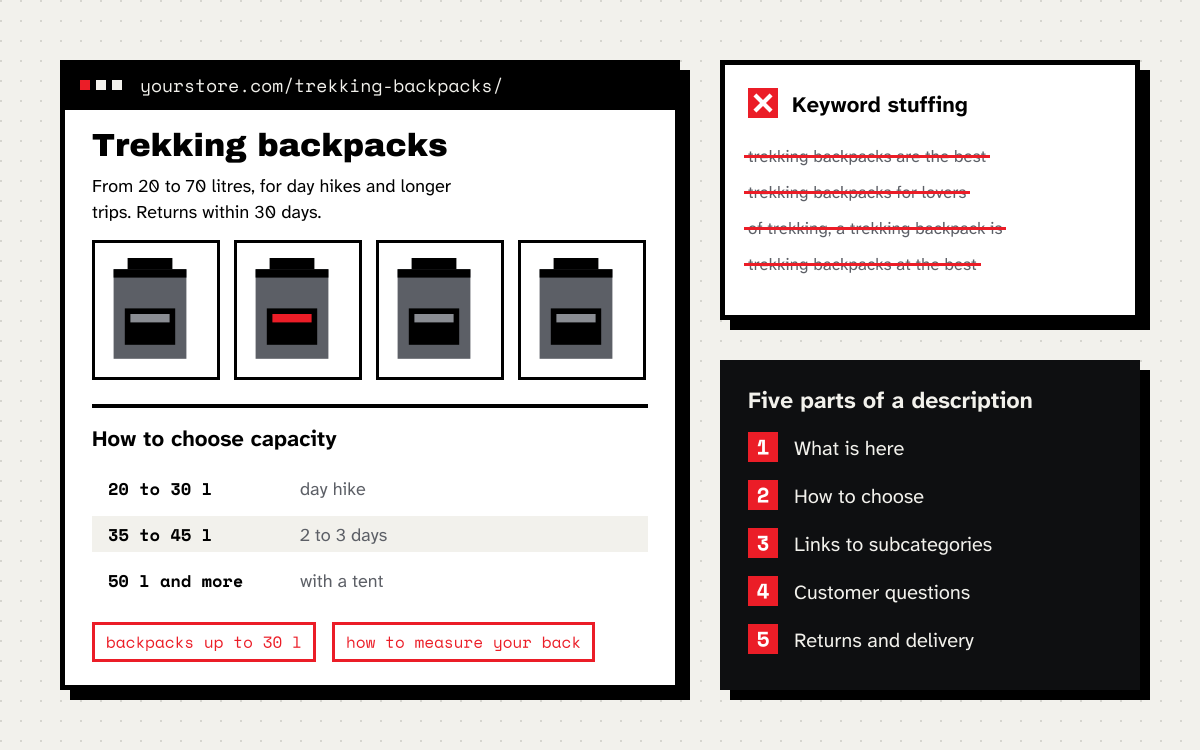
- A first sentence that answers “what is here”. No openers like “Looking for the perfect backpack?”. This sentence most often ends up in search results and in AI assistant answers, so it should make sense on its own.
- How to choose. Three to five criteria, each with something concrete: a number, an example, a range. Ideally ones that match the store’s filters or subcategories.
- Links to subcategories and guides with descriptive link text. Not “click here”, but “backpacks up to 30 litres for day hikes”.
- Answers to questions customers ask by email, in chat and in reviews. Three to five, kept short.
- Store information that helps people buy: returns, size guidance, delivery, if they matter more for this category than for others.
What the description does not have: sentences like “we offer the highest quality products at the best prices”, the company history, a comma separated list of every brand, the keyword repeated in every other sentence.
A before and after example
This is a typical description I see in stores:
Trekking backpacks are the best trekking backpacks for trekking lovers. In our store you will find trekking backpacks from the best brands at the best prices. A trekking backpack is an essential piece of equipment for every hiker. We invite you to buy trekking backpacks.
Four sentences, the same keyword six times and zero information. Google’s spam policies describe texts like this as keyword stuffing, which includes repeating the same words so often that it sounds unnatural.
And this is what the same description can look like after a rewrite. The intro above the products:
Trekking backpacks from 20 to 70 litres for day hikes, multi-day trips and longer expeditions. Every model has an adjustable harness, and most can be tried on in our Kraków shop or returned within 30 days.
The part below the products, shortened:
How to choose capacity. For a day hike 20 to 30 litres is enough. For two or three days with nights in mountain huts, 35 to 45 litres. For several days with a tent and food, 50 litres and up.
Harness. For backpacks over 40 litres, look at back length adjustment and a hip belt that carries most of the weight. Our backpack fitting guide shows how to measure your back length.
Does a backpack need to be waterproof? Most backpacks are only partly waterproof. For rainy trips, add a rain cover, which you will find in the accessories category.
The keyword “trekking backpacks” appears once in this text, in the first sentence. The rest are variants people actually type: capacity in litres, day hike, harness, rain cover. Text like this helps people choose, and along the way it answers a dozen long tail queries.
How to pick keywords for a category
For each category I pick one main keyword and a handful to a dozen variants. Sources:
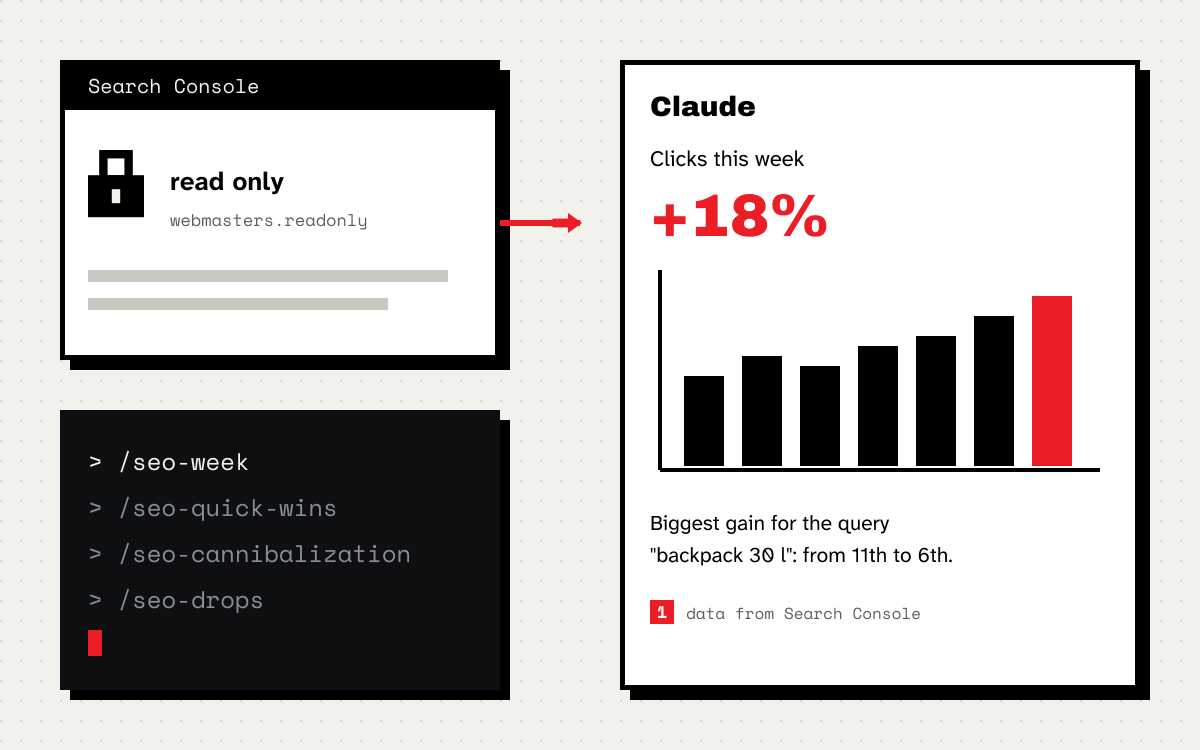
- Search Console, the performance report filtered to the category URL. It shows queries the category already appears for. Those at positions 5 to 20 bring the most, because they are closest. I wrote about how to read this data in the post on position and clicks in Search Console.
- Google autocomplete after typing the main keyword and adding more letters.
- The store’s internal search. Customers type exactly what they want there, in their own words.
- Customer questions from emails, chat and reviews. Ready made headings for the questions section.
I put the main keyword in the page title, the H1 and the first sentence. I spread the variants across the sections on choosing and in the questions, where they fit the meaning. If a variant does not fit any sentence, it probably deserves its own subcategory or a filter page. I described when a filter should have its own page in Google in the post about faceted navigation.
Category title and meta description
In a large store category titles are generated by a template, so it is worth setting it up well once, and then hand-tuning only the most important categories.
The template I start from:
{Category name}: {differentiator or range} | {Store name}
For example: “Trekking backpacks from 20 to 70 l | Your Store” or “Women’s trekking boots with membrane | Your Store”. The differentiator should say something competitors in the results do not, not repeat the category name.
I write the meta description as a short teaser: what is in the category, how many products or what range, one advantage of the store. Google does not always show it, but when it does, it decides the click. The basics of titles and descriptions are in Google’s SEO Starter Guide.
Category descriptions and AI visibility
When someone asks “what backpack for a three day trek”, AI assistants build an answer from fragments of pages that can be taken out of context. A category description has an edge over a product description here, because it answers a question about choosing, not about one model. For it to be cited:
- write sentences that make sense without the rest of the page, for example “For two or three days with nights in mountain huts, 35 to 45 litres is enough”,
- give numbers and ranges in the text, not only on images or in tables made of pictures,
- avoid generic phrases, because there is nothing in them to cite.
I write more about preparing a site for AI assistants in the series on AI Overviews and ChatGPT.
How to check whether the description works
A category description is a change you can measure, if you do it properly:
- Note the publication date and the URLs of the categories you change. Start with 10 to 20 categories rather than the whole store at once, so you have something to compare against.
- After 6 to 8 weeks compare in Search Console clicks and the number of queries for those URLs with the same period before the change and with categories you did not touch.
- Check conversion from those categories in analytics. A good description may not change positions and still lift sales, because customers choose faster.
- Look at new queries in Search Console. If the category starts appearing for variants from the choosing section, the text is doing its job.
Checklist
- Does the first sentence say what is in the category, without an opener or generic phrases?
- Does the intro above the products leave them on the first screen on mobile?
- Does the longer part help people choose, with specifics: numbers, ranges, examples?
- Is the main keyword in the title, the H1 and the first sentence, and not in every other sentence?
- Does the description link to subcategories and guides with descriptive link text?
- Is the text in the HTML right away, not loaded by a script?
- Is the description only on the first page of the category?
- Do you know how you will measure the result and what you will compare it with?
If your store has dozens of categories to describe and you do not know where to start, I help with that as part of content SEO. I start with Search Console data, not with a word count. You can also book a free call and show me your categories.